Playbook: Turn Off Collections
Disable collection attempts for floats and loans. Typically in response to a payments outage so we don’t accumulate failed payment attempts.
Steps
-
Announce in Slack and incidents channel that we are pausing collections
-
Navigate to: Production Lambdas
-
Disable worker lambda triggers for all collections workers.
How to disable triggers
-
Click on the lambda function
-
Click on "Configuration" tab.
-
Select "Triggers"
-
Select the trigger, click "Edit"
-
Uncheck the "Activate trigger" checkbox, and Save changes.
-
Trigger status should move from "Enabled" to "Disabled" after a few seconds. Click refresh to see status changes
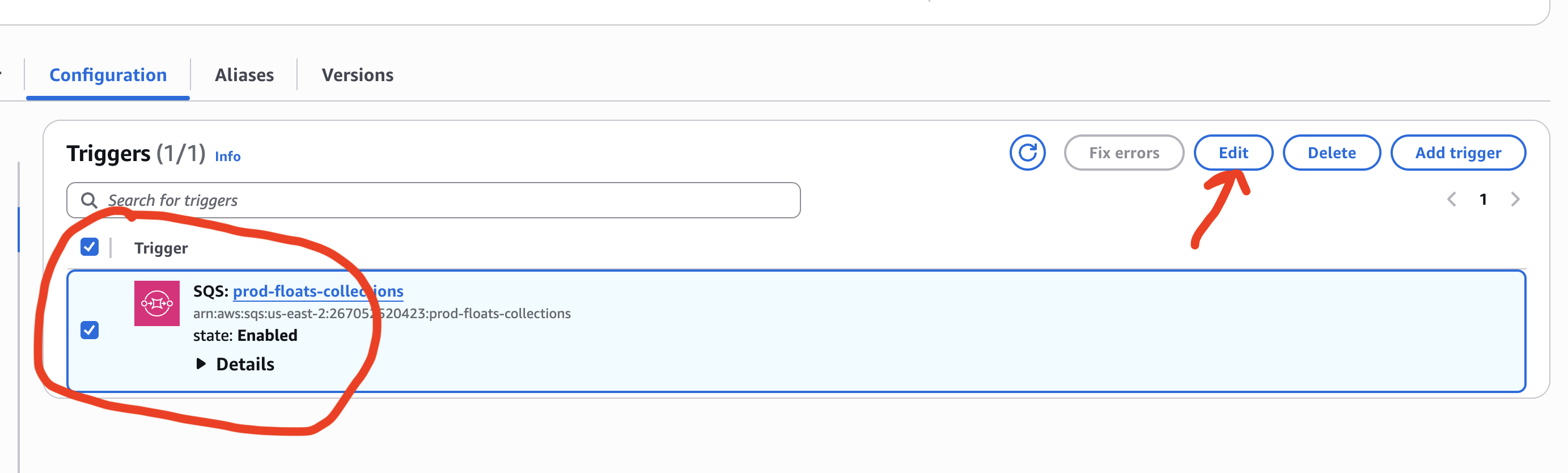
Figure 1. Click Edit on the trigger
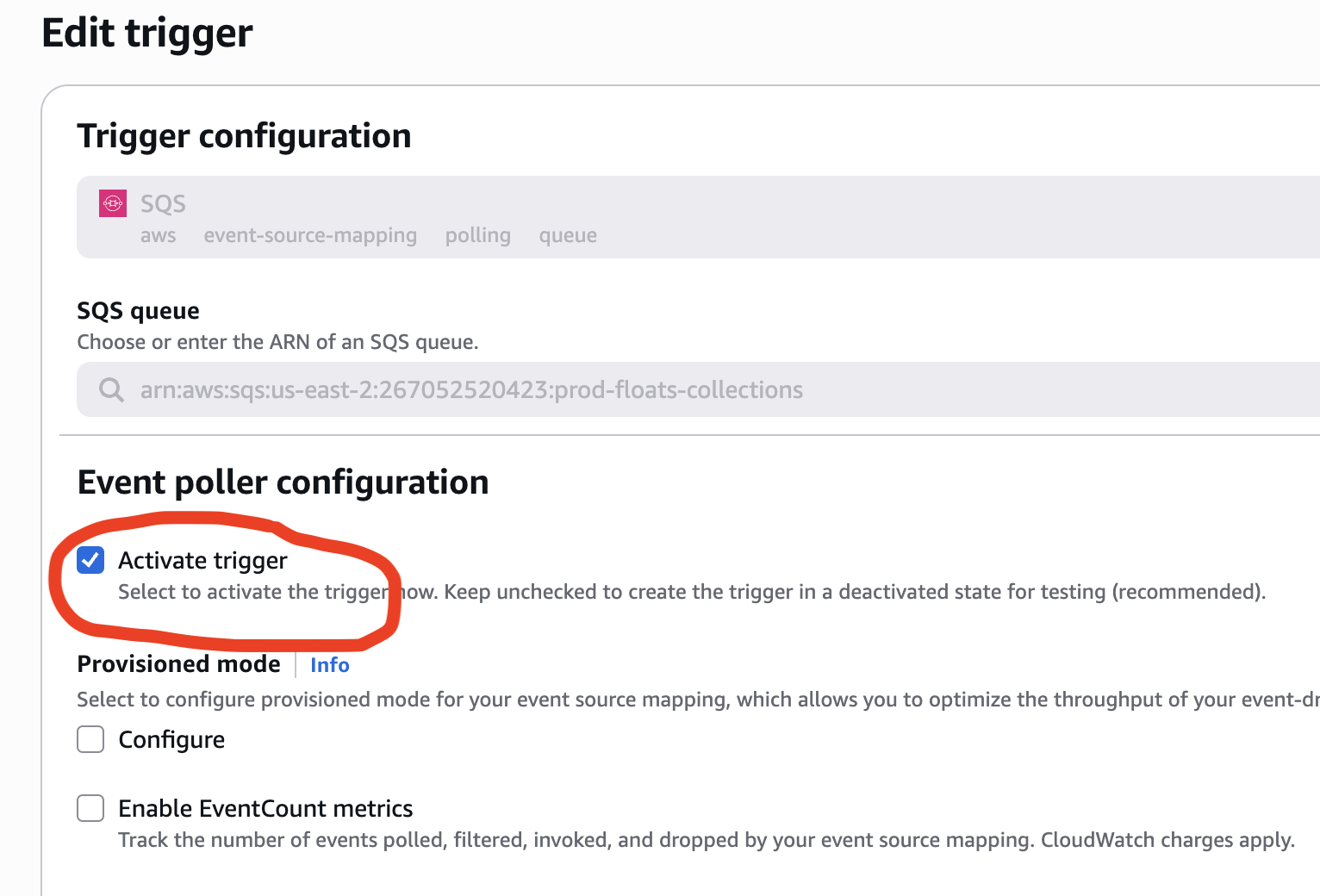
Figure 2. Uncheck "Activate trigger" and save